
Data-driven companies are 6% more profitable and 5% more productive than their peers.
While this might suggest that simply paying more attention to the numbers is enough, truly becoming a data-driven firm depends largely on the decisions made regarding tools and processes. On the journey to becoming data-driven, a common question among executives, managers, and analysts is: “should I be using Power BI?” This article explores that question in detail.
The Benefits of Power BI
Power BI offers several key benefits that strengthen the business case for its adoption.
-
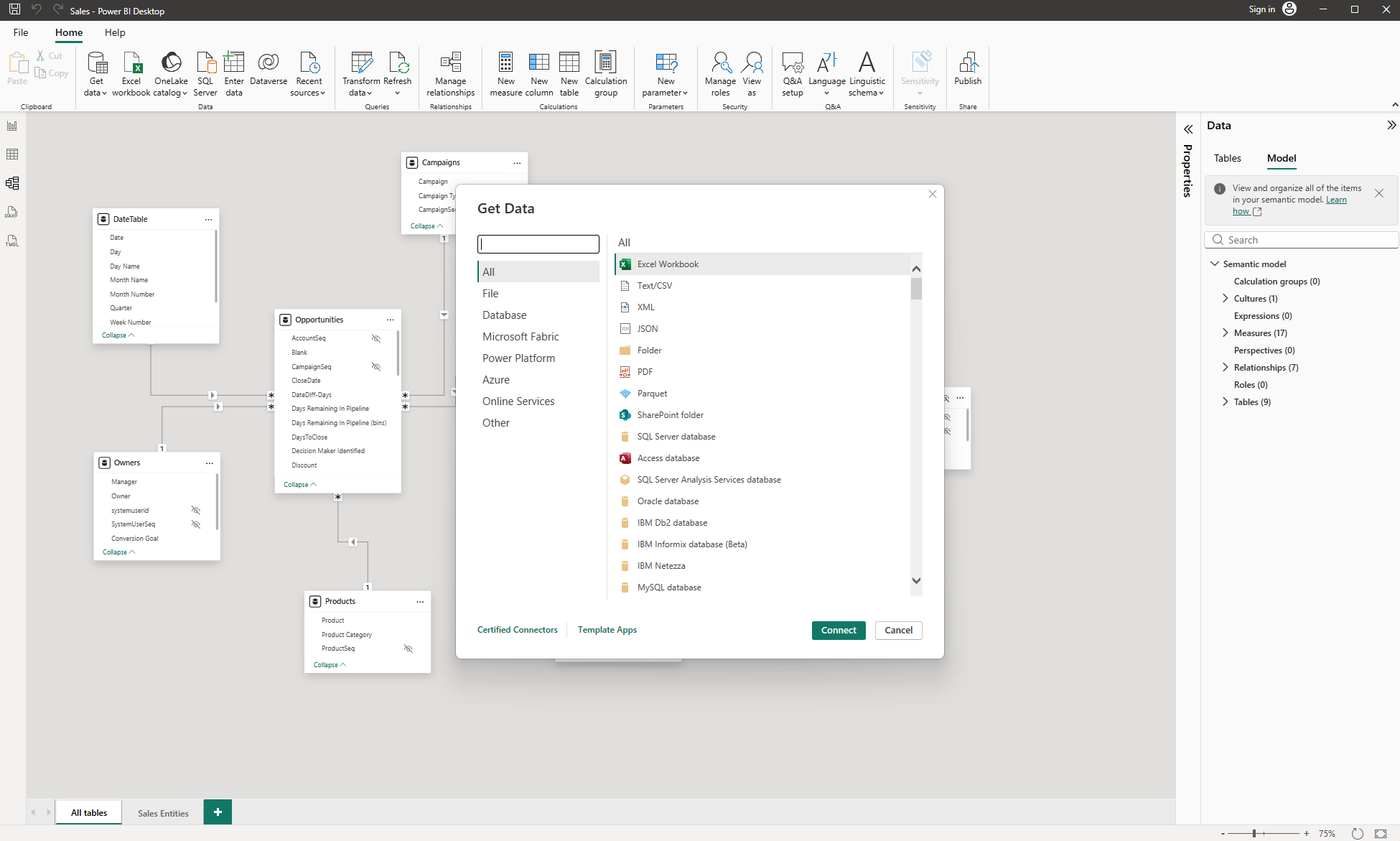
Connect to Many Data Sources
Power BI enables access to many data sources through connectors in Power Query, allowing seamless integration with apps, cloud, and on-premises services to create a single source of truth. Additionally, in the Power BI service, data can be updated in real time or via scheduled refreshes to ensure insights remain relevant. -
Data Transformation and Modelling
Power BI supports complex data transformations using Power Query, enabling data cleansing and preparation before modelling and reporting. Its modelling features allow the development of relationships between tables, additional transformations, and the creation of measures for reporting. These capabilities are crucial for converting raw data into formats suitable for dashboard visuals. -
Collaboration and Report Sharing
A key consideration after developing a reporting solution is how users will access the reports. Power BI addresses this with robust collaboration and sharing features, allowing reports to be shared internally within the Microsoft 365 tenant at various access levels. Only the most important high-level benefits of Power BI have been listed here. The list of features and other added benefits of Power BI are endless. Visit the Microsoft site to learn more detail.
The Considerations
While Power BI offers many great benefits, there are a few important considerations to pay attention to.
-
Learning curve
Power BI allows non-technical users to create some basic reports themselves from simple data sources, which is why Microsoft refers to it as a self-service tool. However, most real-world data analytics projects using Power BI call for a higher level of technical expertise to integrate, transform and present business data. Consequently, businesses looking to fully utilise Power BI need to have an in-house data analytics function or seek expert help. -
Dependency on the Microsoft Environment
Power BI collaboration and sharing depends highly on the Microsoft 365 environment. Organisations that don't use Microsoft 365 have to undertake additional setup of users to properly facilitate report sharing. -
Licensing and Cost
Creating reports in Power BI is free; however, accessing and sharing reports across the organisation involves licensing costs. Power BI offers several plans, including Power BI Pro, Power BI Premium Per User, and Power BI Embedded, starting at $21.00 AUD per user for Power BI Pro.
Other Alternatives?
Power BI isn’t the only data visualisation tool on the market and it is important to consider the alternatives. Tableau is arguably the main comparable product in the market which is compared against Power BI in the table below.
Comparison
-
Visualisation capabilities
-
Integrations
-
Data handling
-
Pricing
-
Best for
Power BI
-
Professional visuals for most business needs
-
Integrates seamlessly with a wide range of data sources and Microsoft products (Excel, SQL Server, Azure, Teams)
-
Handles medium to large datasets well
-
More affordable; starting at $21 AUD per user per month (Pro License)
-
SMEs, Microsoft-based businesses
Tableau
-
Highly customisable visuals
-
Integrates with a wide range of data sources, including cloud databases and non-Microsoft platforms
-
Excellent for very large or complex datasets
-
More expensive; starting at $75 AUD per user per month (Standard)
-
Large scale enterprises and data scientists
Overall, Power BI is best suited for most professional needs and Microsoft-based businesses, whereas Tableau is better suited for those requiring highly customisable visuals. So, if you aren’t in need of unique visuals, then Power BI may be the more appropriate tool to use.
So, Should I be Using Power BI?
To help answer the big question “should I be using Power BI?” I have broken it into a series of smaller practical questions.
– Am I working with multiple systems or large amounts of data?
– Do I need to slice and dice my data in many different ways?
– Would I benefit from analysing my data in a variety of ways?
– Will I need to separate and share reports with different teams?
– Do I have the data analytics capability in house or can I source a Power BI consultant?
– Am I comfortable with incurring additional subscription costs for Power BI?
– Am I operating in an SME (not a large scale enterprise)?
If you answered yes to most of the above questions, Power BI is certainly worth exploring as part of your organisation’s data tech stack.
Summary**
Overall, Power BI is an excellent tool for visualising business data, thanks to its compatibility with many data sources, robust data modelling capabilities, and collaboration features. However, it is important to consider the steep learning curve, dependency on the Microsoft ecosystem, and additional licensing costs. For SMEs that can leverage Power BI’s benefits and are comfortable with these considerations, the answer to ‘Should I be using Power BI?’ is likely yes. Ultimately, the success of Power BI in any business depends largely on effective implementation and a raft of other factors as is the case with any new technology.
Author bio: Lachlan is a Consultant and Director at On Report. He is genuinely passionate about helping organisations use their data for better decision making.
Lachlan Brien
I look forward to seeing how these developments will improve service levels and customer satisfaction in the freight industry!
Comments are closed.